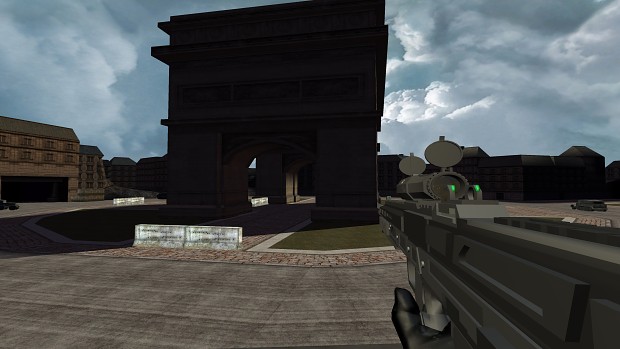
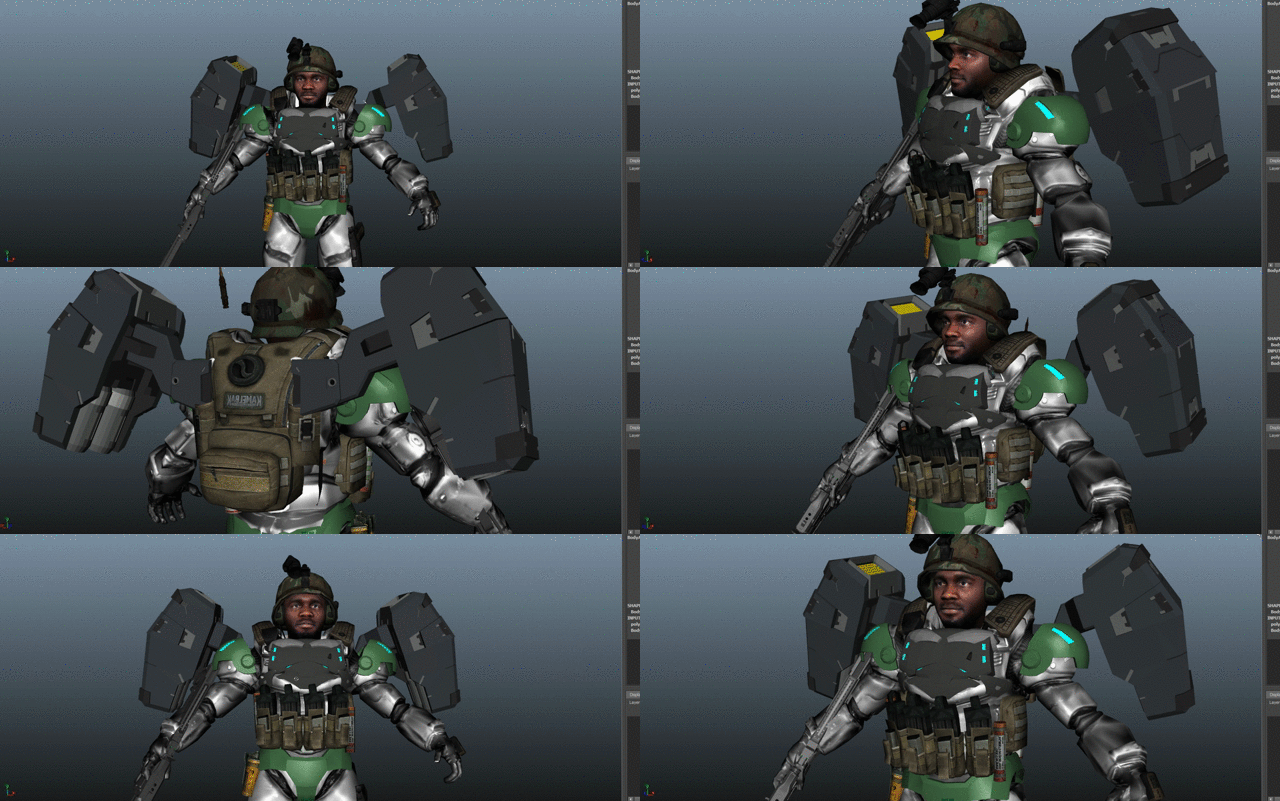
Showing posts with label Animation. Show all posts

Saturday, July 18, 2026

93.) Steel Cyclone Engine - The Next Chapter Begins


From XNA to Steel Cyclone Engine: The Next Chapter Begins

By Jordon McClain, Founder & CEO, Steel Cyclone Studios


🚀 A Huge Milestone for Steel Cyclone Studios!

After years of developing the original Cyclone Game Engine in Microsoft's XNA Framework, I'm excited to finally share the first major milestone of its successor:


Steel Cyclone Engine
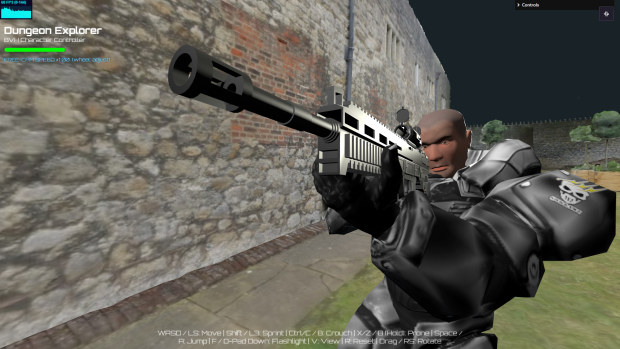
Steel Cyclone Engine

This project represents much more than simply learning another programming language or switching graphics APIs. It's the evolution of everything I've learned over the years—from building games in XNA to creating a modern, browser-native engine capable of powering the next generation of Steel Cyclone Studios games.

If you've followed my development journey over the years, you know how much of my work has been built on the original Cyclone Game Engine. While XNA gave me an incredible foundation as a programmer and game developer, the gaming industry has evolved dramatically since those early days. The browser has become one of the most exciting platforms for game development, and I believe it represents the future of how many indie developers will create and distribute games. (Steel Cyclone Studios)


Looking Back at the Original Cyclone Game Engine

The original Cyclone Game Engine was built using Microsoft's XNA Framework.

Like many indie developers, XNA introduced me to:

  • Component-based programming

  • Game loops

  • SpriteBatch rendering

  • 3D graphics

  • Content pipelines

  • Collision systems

  • Cameras

  • Physics

  • Audio

  • Animation

It was an amazing framework that allowed countless independent developers to publish Xbox Live Indie Games and Windows titles.

But eventually Microsoft discontinued XNA.

Although projects like MonoGame helped keep XNA alive, I wanted to do something different.

Instead of rebuilding another desktop engine...

I wanted to build something that anyone could access instantly.


Why Move to the Browser?

This question has come up quite a bit.

"Why leave XNA?"

The answer isn't because XNA was bad.

It's because browsers have become incredibly powerful.

Modern browsers now support technologies like:

  • WebGL

  • JavaScript

  • Three.js

  • WebGPU (future)

  • Gamepad API

  • Web Audio

  • Pointer Lock

  • Progressive Web Apps

Combined together, these technologies create opportunities that simply didn't exist when I first started building games.

The browser has become a universal gaming platform.


Play Instantly — No Downloads Required

One of the biggest advantages is accessibility.

Instead of asking players to:

  • Download installers

  • Wait for updates

  • Install dependencies

  • Manage storage space

Players simply click a link and begin playing.

No installation.

No waiting.

No worrying whether their operating system is supported.

If they have a modern browser...

They're ready to play.

For indie developers trying to grow an audience, removing that friction is incredibly valuable. (Steel Cyclone Studios)


Cross-Platform by Design

One thing I always struggled with in desktop development was platform compatibility.

Different operating systems...

Different graphics drivers...

Different builds...

Different deployment pipelines.

With Steel Cyclone Engine, the browser becomes the platform.

That means games can run across:

  • Windows

  • macOS

  • Linux

  • Chromebooks

  • Android

  • iPhone

  • iPad

  • Tablets

  • Many handheld devices

  • Smart TVs with modern browsers

Instead of maintaining multiple native builds, I can focus on improving one engine that reaches players almost everywhere.


Easier Self-Publishing

Another reason for moving to the web is publishing.

One of my long-term goals has always been making my games as accessible as possible.

Web games are much easier to self-publish through platforms such as:

  • CyberForge Arcade

  • GameMonetize

  • CrazyGames

  • GitHub Pages

  • My own Steel Cyclone Studios website

Instead of packaging installers for every operating system, updates can be deployed immediately, allowing players to jump into the latest version with nothing more than a browser refresh.

For a solo indie developer, that dramatically simplifies development and maintenance.


Updates Become Instant

Remember downloading a multi-gigabyte patch?

With browser games...

That largely disappears.

When I fix bugs or add new features to Steel Cyclone Engine, everyone automatically receives the newest version the next time they launch the game.

No manual patching.

No outdated versions.

No fragmented player base.

This makes rapid iteration much easier during development and helps players always experience the latest improvements. (Steel Cyclone Studios)


Built-In Multi-Controller Support

Steel Cyclone Engine is also being designed with flexible input in mind.

Rather than targeting a single console or operating system, the goal is to support a wide variety of controllers through the browser, including:

  • Xbox controllers

  • Xbox 360 controllers

  • Xbox Series controllers

  • PlayStation controllers

  • Keyboard & mouse

  • Mobile touch controls

Because modern browsers expose standardized controller APIs, input handling becomes much more consistent across platforms than it was in the early XNA days.


Bringing My XNA Projects Forward

One of my biggest goals isn't to leave my XNA work behind.

It's to preserve it.

Over the years I've built:

  • Starter kits

  • Sample projects

  • Game prototypes

  • Editors

  • Learning resources

  • Tools

Rather than letting those ideas remain locked inside an older framework, I want to bring them into the future.

The plan is to recreate and improve those projects as web-based versions using Steel Cyclone Engine.

That includes many of the reusable systems I developed over the years while expanding them with modern features and workflows.


First Major Milestone

Although Steel Cyclone Engine is still in active development, reaching this first milestone has been incredibly rewarding.

Current features include:

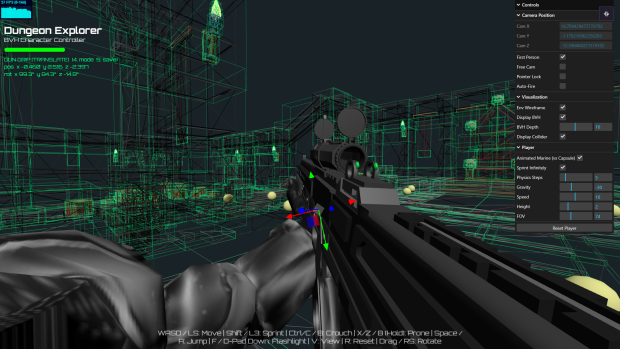
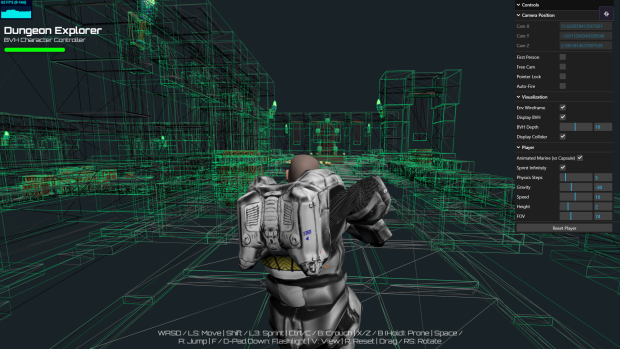
  • ✅ Browser-based editor

    Steel Cyclone Engine

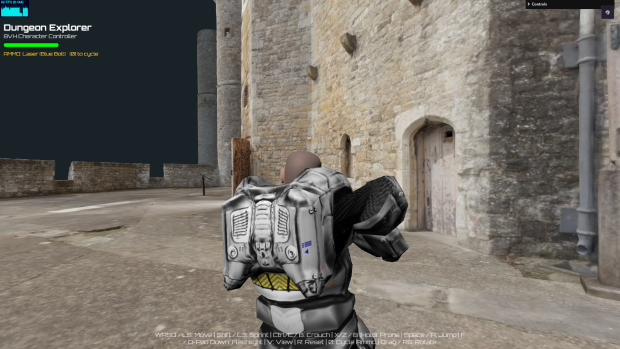
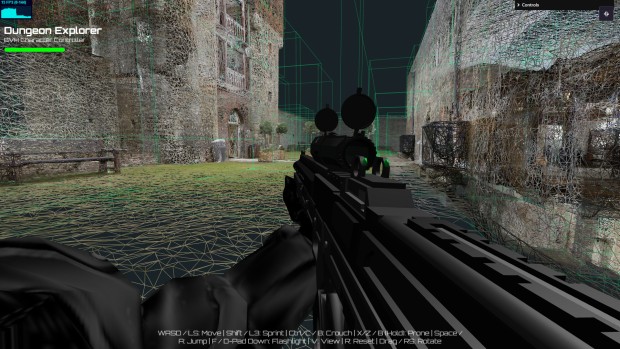
  • ✅ Custom BVH character controller

    Steel Cyclone Engine

  • ✅ Modern physics and collision

    Steel Cyclone Engine

  • ✅ First- and third-person gameplay

  • ✅ Animation blending & Mixing

  • ✅ Weapon attachment system

  • ✅ Environment editing tools

    Steel Cyclone Engine

  • ✅ Cross-platform deployment

Every one of these systems becomes a reusable building block for future projects.


Acknowledging the Community

During early prototyping, I also want to recognize two developers whose work has been valuable during development.

Garrett Johnson's Player Movement sample and BVH implementation provided an excellent reference for understanding efficient character navigation and collision techniques in Three.js.

I'd also like to thank David Fletcher for creating the photogrammetry model of Upnor Castle, which has served as a fantastic environment for testing movement, rendering, and collision systems.

Both are used strictly for demonstration and development purposes while I continue creating original environments and gameplay systems for Steel Cyclone Engine.


The Long-Term Vision

Steel Cyclone Engine isn't being built for a single game.

It's being built as the foundation for nearly every future Steel Cyclone Studios project.

That includes titles like:

  • Superstar McClain

  • and many more original games.

As the engine improves, every project built on top of it benefits from those improvements.

Instead of reinventing systems for each game, I can focus on building new gameplay experiences while continuing to strengthen the engine underneath them.


Looking Ahead
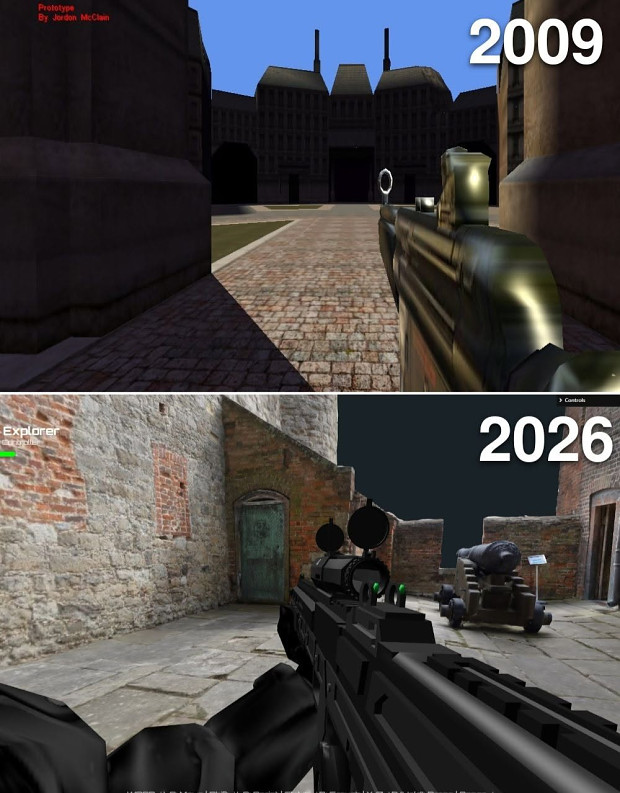
Steel Cyclone Engine 2009 to 2026

Leaving XNA behind is bittersweet.

It played a huge role in shaping who I am as a programmer and game developer.

But every technology has its season.

Steel Cyclone Engine represents the next chapter—not by replacing everything I learned from XNA, but by building upon it.

The lessons from the original Cyclone Game Engine are still here.

They're simply evolving into something designed for today's web and tomorrow's games.

I'm excited to continue sharing development updates, engine improvements, and behind-the-scenes looks as this project grows.

Thank you to everyone who has supported Steel Cyclone Studios throughout this journey. I can't wait to show you what's coming next.

Here's to the next generation of the Cyclone Game Engine. Welcome to Steel Cyclone Engine.


Friday, July 14, 2023

88.) Terminal Map Remake Early Prototype


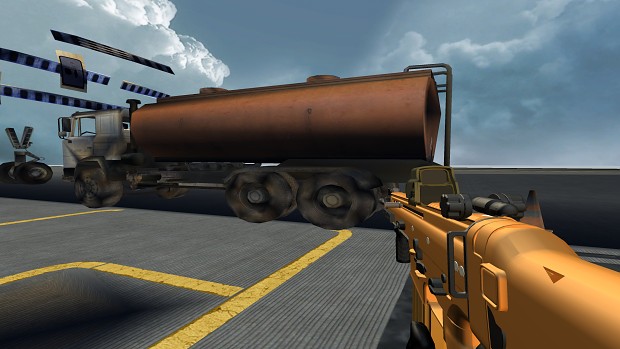
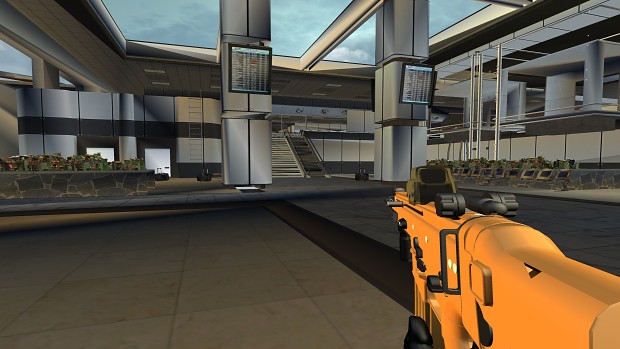
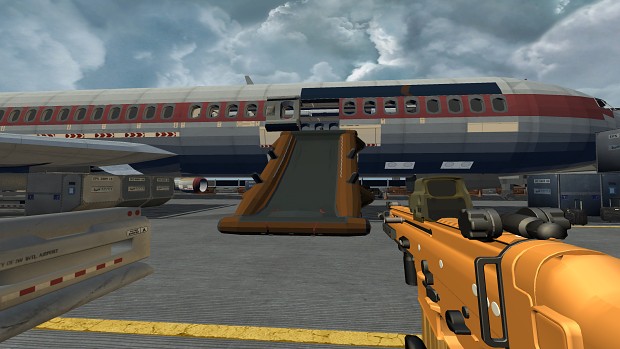
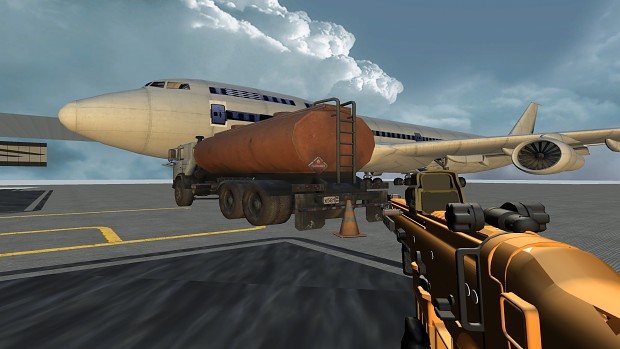
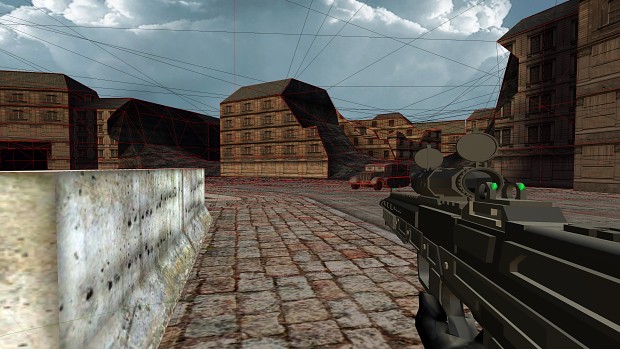
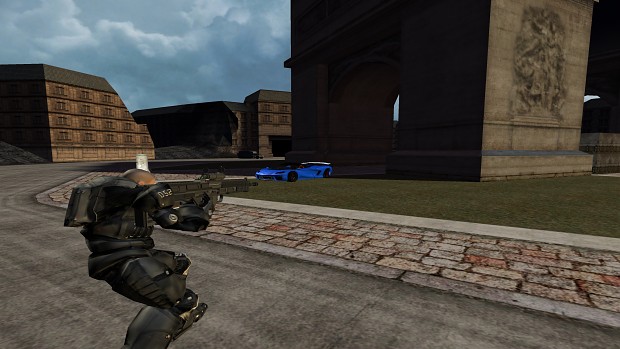
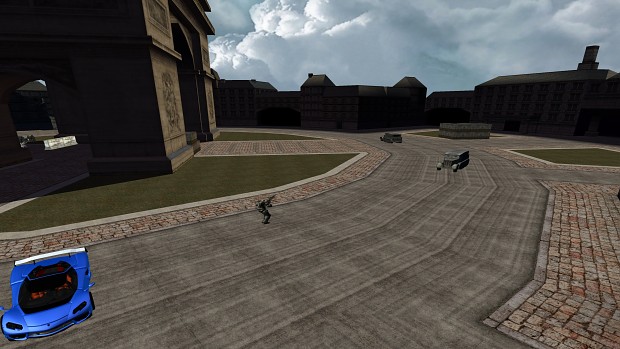
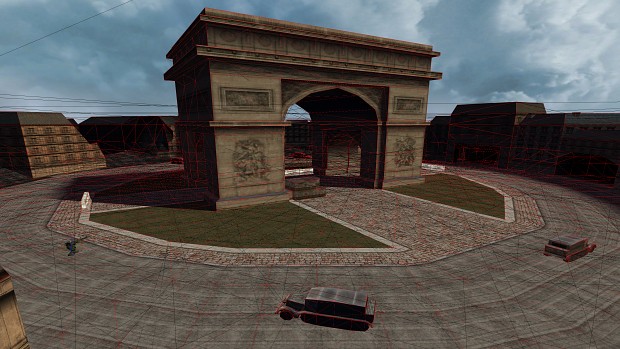
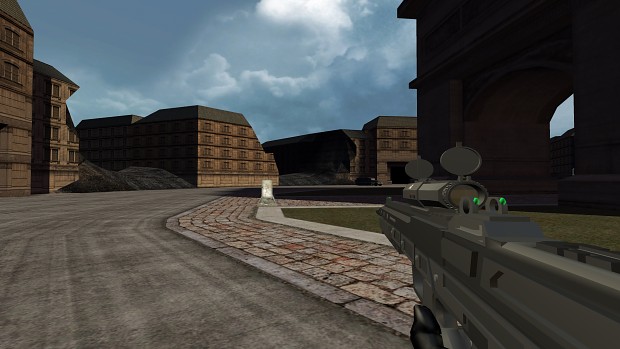
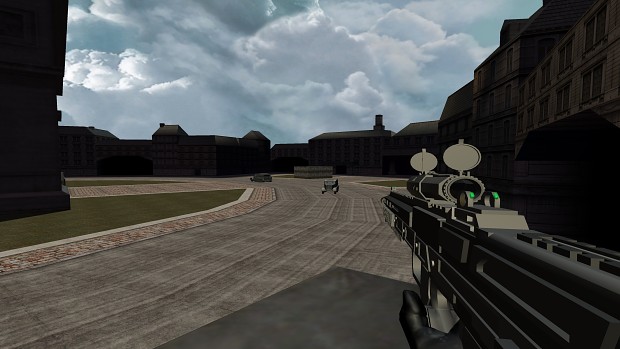
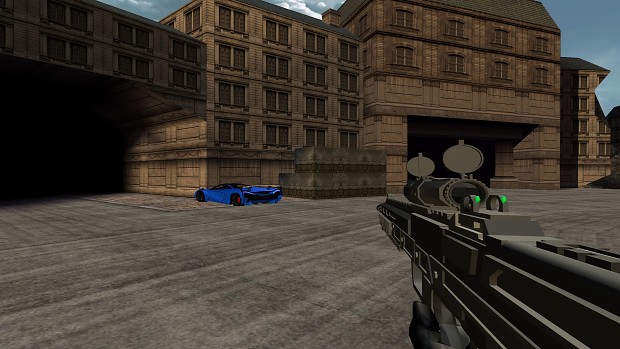
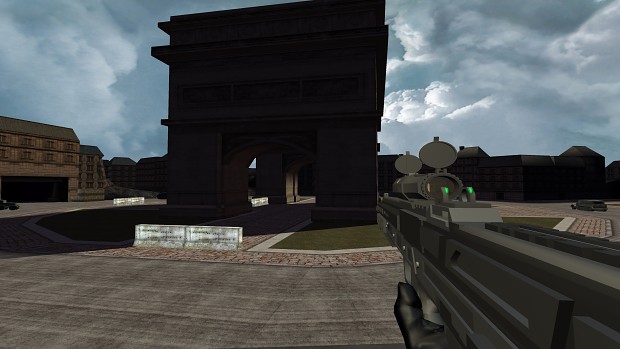
     Today, we embark on an exciting journey to recreate one of the most iconic multiplayer maps in gaming history: Terminal from Call of Duty: Modern Warfare 2. My goal is to rebuild the map from scratch in the Cyclone Game Engine using the XNA framework and MonoGame, alongside a couple of powerful tools that will enhance our development process. I started the day by studying the original map's layout, textures, and gameplay mechanics. Immersing myself in the details of Terminal, I carefully analyzed the paths, chokepoints, and strategic areas that made the map so memorable. Armed with this knowledge, I brainstormed ideas on how to translate those elements into the engine, ensuring I captured the essence of the original map while also infusing some of my own creative touches.


Terminal Remake Devlog v1


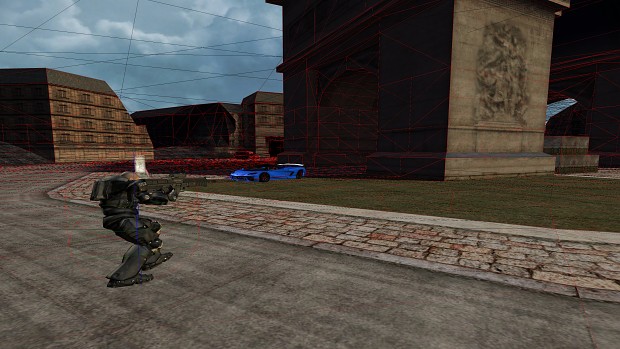
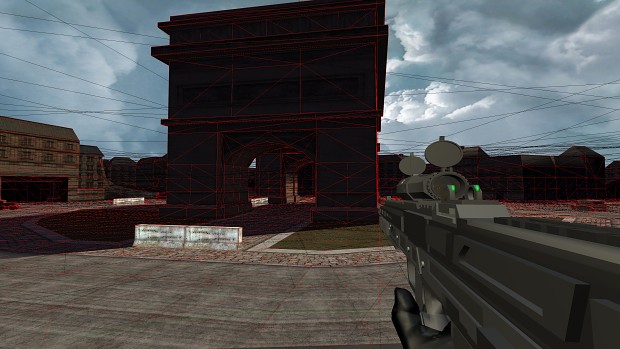
     To bring life to our character, I turned to Mixamo, a fantastic tool for character animation. With Mixamo, I was able to access a vast library of pre-made character animations and easily apply them to my in-game model. This saved me a tremendous amount of time and effort, allowing me to focus more on other aspects of the game development process. Jiggle Library-X (JigLibX) is utilized for the physics. Models from the scene are being extracted and and tested for collision.

Terminal Map Remake Screenshots V2 

     One of the biggest challenges is performance for the physics on more detailed models like in this picture above which also resulted in slowing the game's frame-rate. To fix this, I will most likely create two models; a low poly and high poly version. Low-poly models will be rendered unseen and most likely used for the models' collision physics to help with performance. The high-poly models with more detailed meshes will be visible for more pleasing visual aesthetics.In addition to leveraging Mixamo for character animation and Jiggle Library-X for physics, I also incorporated another powerful tool into our development arsenal: the XNAnimation library originally created by Bruno Evangelista. The XNAnimation library provided us with an extensive set of tools and functionalities to handle character animation within the XNA framework. This library enabled me to import and manage complex skeletal animations seamlessly. With XNAnimation, I could rig and animate our character model, ensuring fluid and realistic movements.

     One of the standout features of the XNAnimation library was its support for skeletal animation blending. This allowed me to smoothly transition between different animations, such as running, jumping, and shooting, providing a seamless and immersive experience for the players. However, animation blending is not presented in this following video. I was able to define animation states, set up animation trees, and control the blending parameters to achieve the desired results. Furthermore, the XNAnimation library offered a range of utilities for retargeting animations, which proved invaluable during my development process. I was able to transfer animations from one character model to another with varying skeletal structures, saving significant time and effort in adapting animations to different characters or variations within our game.


Bone Rotation Problem
     During the development process, I encountered various challenges related to character animation and camera interactions. While Mixamo proved to be a reliable tool for basic animations like walking and running, we realized that we needed additional techniques to achieve more complex actions and enhance the overall player experience. For instance, as you can see in this video, we need to address the issue of the bone moving with the camera rotation, particularly when looking up and down or aiming at a target from different positions.

Terminal Map Remake Screenshots V2 

     To fix this, I will turn to procedural animation and inverse kinematics. These techniques will allow us to dynamically adjust the character's animations and limb positions based on the player's input or environmental factors.  To further enhance the character's interaction with the environment, I most likely plan to incorporate inverse kinematics into my development process. Inverse kinematics will help to prevent the player from seeing the character's body when the bones of the model rotates in first-person perspective when looking up and down. 

     By implementing Inverse kinematics, this will enable us to precisely control the placement and movement of the character's limbs, making actions such as aiming at targets or reaching for objects appear more natural and lifelike. Whether it’s reaching for a weapon or interacting with an in-game object, an IK system in XNAnimation will help me to achieve a higher level of realism and interactivity in our games. Inverse kinematics allows us to calculate the positions and rotations of the character's joints dynamically, taking into account factors like the player's input or the position of the target in the game world. 

     To implement procedural animation, I leveraged the power of Maya, a widely-used 3D modeling and animation software. Using Maya, I exported the animated model from Mixamo and then customized the animation rigs to accommodate the specific camera interactions I desired. By fine-tuning the rigging and adjusting bone weights, this will ensure that the character's movements responds smoothly and realistically to the player's camera rotations. 


Problem: Black Spots Appearing on Mesh Faces

Terminal Remake Devlog v1
Before: Dark Spots Problem Pic-1


Terminal Remake Devlog v1
Darks Spots Problem Pic-2


Terminal Remake Devlog v1
Dark Spots Problem Pic-3

     Many of the models were created using SketchUp. When imported into Maya as a .fbx file, I noticed many dark spots appearing on the faces for some reason on the models. First I tried clearing the mesh and nothing changed. Changing the texture didn't solve the problem either. Then I tried deleting a face and appending a new face at the same place which worked and made the black spots disappear. However, this was time consuming to fix all the faces by hand especially on very detailed models. The best solution was to unlock the normals of the model which removed all of the dark spots.


Solution: Unlock Normals

Terminal Map Remake Progress Screenshots V2
After: Dark Spots Successfully Removed


Terminal Map Remake Progress Screenshots V2
Dark Spots Removed Pic-2


Terminal Map Remake Progress Screenshots V2
Dark Spots Removed Pic-3


     In Autodesk Maya 2015, click on Normals at the top and select Unlock Normals. This helped to remove the dark spots on the models and made the textures far clearer and improved their visibility. To verify that the normals are unlocked:

1.) Go to Display
2.) Select Polygons
3.) Then select Vertex Normals.

Normals should show a green line when unlocked and yellow when locked. Leave them unlocked. You can see the results of the removed dark spots in the video below. Some of the textures still pop-in and out so they will have to be resized. 


     Please note that the gameplay footage showcased in the videos above are very early stages of development and should not be considered representative of the final product. We want to emphasize that significant progress and improvements are yet to come, as we continue to refine and polish the game. During this early phase, our main focus was on establishing the core mechanics and functionality of the game. The level design, character animations, textures, and overall visual quality are all subject to change and refinement in the upcoming stages of development. We understand that the current gameplay footage may lack certain features, exhibit placeholder assets, or have performance issues that will be addressed in due course.

     It is crucial to keep in mind that this is just a glimpse into our development process and a work in progress. We remain committed to delivering a high-quality and enjoyable gaming experience. As we progress further, we will be implementing additional features, enhancing the visuals, optimizing performance, and addressing any issues that may arise along the way. We appreciate your support and understanding as we continue to work tirelessly to bring you the best possible version of our game. Stay tuned for future updates and be assured that the final product will be a significant improvement over this early footage.


Thursday, March 23, 2023

87.) Cyclone Game Engine Character Physics Controller Part 2


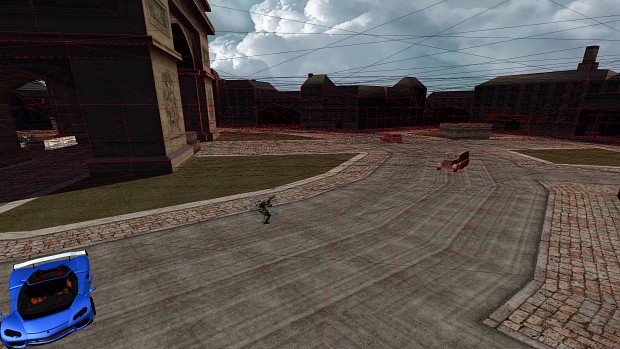
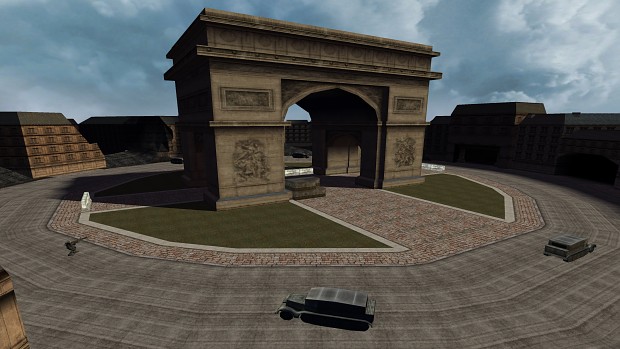
     Because of limited time, the design and creation of 3D models was placed on hold to focus on getting the physics collision working with low-poly models properly. I went back and utilized the Stage 1 scene from the Robot Game Starter Kit for testing purposes. It not only provided me with rapid results and made me very happy, but gave me room to further expand and modify the scene in the future for improving the graphics. I plan to add particle effects, shaders and more models.


Cyclone Game Engine Character Controller Pics Part-2

     I used JigLibX as the physics engine which is one of the favored open-source physics engines for physics and collision detection. Using JigLibX was a one of the best decisions about this project because it allowed me to focus more on gameplay, instead of spending time on creating my own physics library. JigLibX is a physics engine written in C# using Microsoft's XNA framework. It is based off the physics engine JigLib and I am currently porting it to MonoGame and further expanding it. Having a collision system and a rigid body physics engine makes JigLibX one of the favored free open-source physics engines designed for use with XNA.


Cyclone Game Engine Character Controller Pics Part-2

     With my Ai obstacle-avoidance and steering behaviors sample working recently, I might expand this map to create an arcade style wave based survival game prototype starting out. The player will fight off hordes of various enemies and creatures to rack up a large kill count and points. I don't want to get too far ahead of myself but I think this prototype will hold a lot of potential. 


Cyclone Game Engine Character Controller Pics Part-2

     I plan on implementing Parallax Occlusion Mapping to make the textures pop out and add depth to the textures so that they don't appear too flat.  


Cyclone Game Engine Character Controller Pics Part-2


Cyclone Game Engine Character Controller Pics Part-2


Cyclone Game Engine Character Controller Pics Part-2


Cyclone Game Engine Character Controller Pics Part-2


Cyclone Game Engine Character Controller Pics Part-2


Cyclone Game Engine Character Controller Pics Part-2

     I might implement Deferred Rendering which will allow the game engine to render a huge number of dynamic lights very efficiently.


Cyclone Game Engine Character Controller Pics Part-2


Cyclone Game Engine Character Controller Pics Part-2


Cyclone Game Engine Character Controller Pics Part-2


Cyclone Game Engine Character Controller Pics Part-2


Cyclone Game Engine Character Controller Pics Part-2


Cyclone Game Engine Character Controller Pics Part-2


Cyclone Game Engine Character Controller Pics Part-2


Cyclone Game Engine Character Controller Pics Part-2

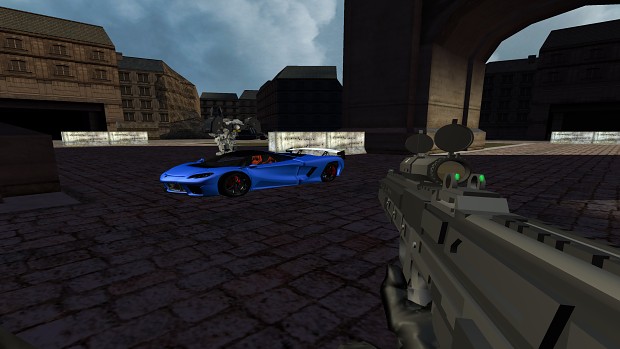
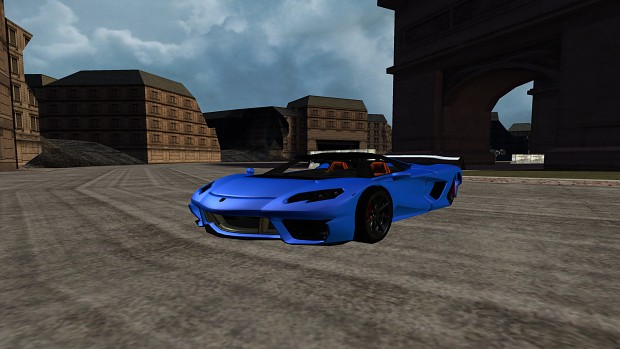
     I plan to add a real-time reflection shader to the car's vehicle body. 


Cyclone Game Engine Character Controller Pics Part-2

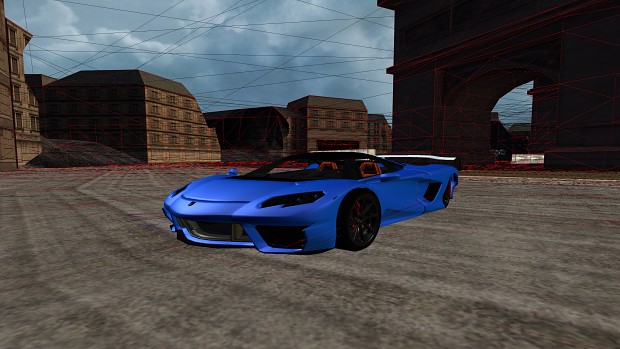
     Each game object is represented in the physics engine by a simplified mesh called a collision skin. The collision skins are often rough estimations of the geometry of the game object in order to make simulation faster. The chassis if this car object for example is actually composed of two boxes, one large for the bottom of the model and a smaller box for the top. Rigid body physics is the part of physics that deals with the motion of rigid bodies. Rigid body simulations are fast and easy to calculate relative to other methods of simulating physics. 

     This makes it very useful in game development where performance plays an important role when trying to create a realistic playing experience. Rigid body physics can simulate movement and rotation in three dimensions and allows a body to have properties like mass, friction, torque, velocity etc. In a rigid body physics simulation, all objects are non-deformable. This means that an object can never be squeezed or bent regardless of what forces are applied to them.


Cyclone Game Engine Character Controller Pics Part-2

     The grass area will be separated into its own models and I will add plants and vegetation to it. 


Cyclone Game Engine Character Controller Pics Part-2


Cyclone Game Engine Character Controller Pics Part-2


Cyclone Game Engine Character Controller Pics Part-2


Cyclone Game Engine Character Controller Pics Part-2


Cyclone Game Engine Character Controller Pics Part-2


Cyclone Game Engine Character Controller Pics Part-2


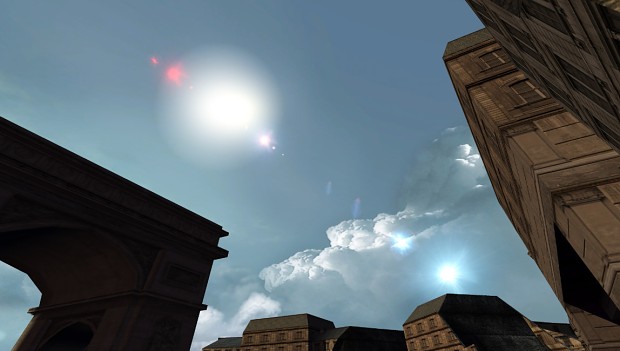
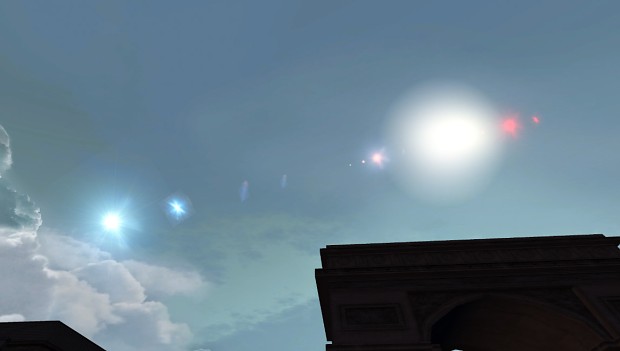
Lens Flare Updated Effect


Lens Flare Updated Effect


Lens Flare Updated Effect


Cyclone Game Engine Character Controller Pics Part-2


Cyclone Game Engine Character Controller Pics Part-2


Cyclone Game Engine Character Controller Pics Part-2


Cyclone Game Engine Character Controller Pics Part-2


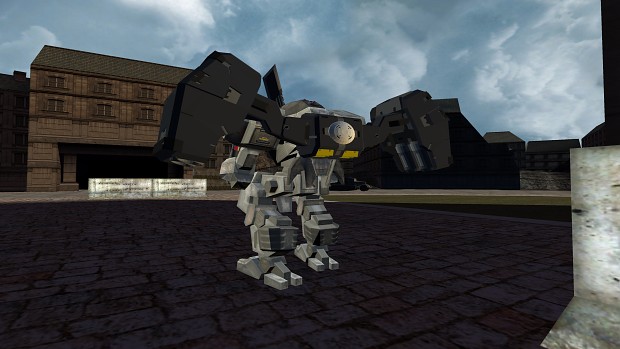
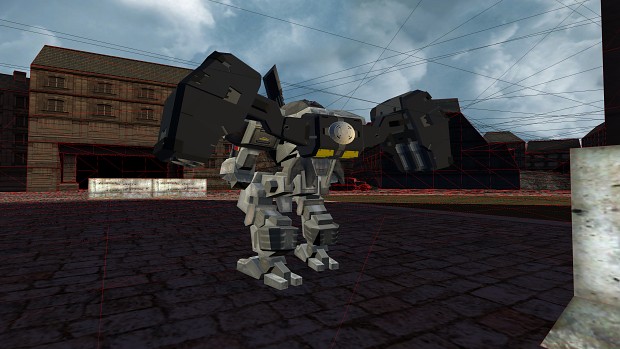
More Robot Mechs Coming!


Wednesday, February 15, 2023

86.) Ai Obstacle Avoidance & A-Star Pathfinding Behaviors


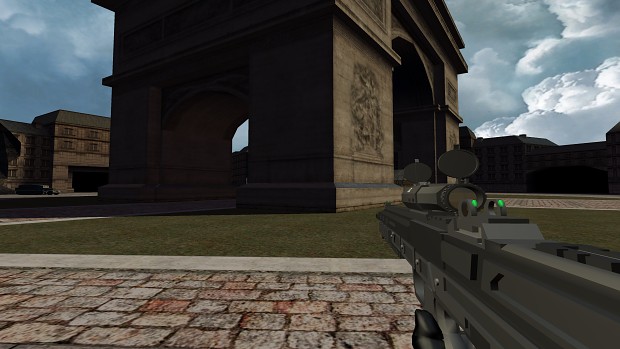
      Originally created by David Ang, this demo showcases a tower defense game where entities (spiders and marines) try to reach a destination (blue fiery portal) while avoiding obstacles using either steering behavior (spiders) or A* (marines) pathfinding. Tanks have been added as towers that rotate to face the furthest entity within its range. Particle effects are utilized to show starting points and destination points. This demo outlines the code for the entities avoiding obstacles with a bounding sphere and finding a path using A*. This 3D sample also implements particle systems defined by XML files loaded with the Content Pipeline. David's original demo was created in XNA 3.1. I have successfully updated the source code to XNA 4.0 and made additional implementations. The sample originally utilized the Skinned Model Library but I've replaced it with an updated version of the XNAnimation Library. Doing so allowed me to resolve animation take issues within the spider model and support multiple animation clips within the same .fbx model file. 


     I look forward to expanding this inside the Cyclone Game Engine. Soon I plan to add additional particle effects and possibly a level editor. I have provided the source code to this demo below. 


Wednesday, September 21, 2022

81.) Adobe Fuse & Mixamo Fuse Character Creation!


     Created by Mixamo, Fuse is a 3D computer graphics program that helps you to quickly and easily create 3D characters. Formerly known as Fuse Character Creator, it's a fantastic tool for video game developers, modders and enthusiasts. You can edit 3D characters with ease by choosing parts as you require and pulling and pushing them to change the appearance. 


Adobe Fuse Discontinued?


     Fuse has been removed from Creative Cloud and is no longer available for download. However, I have made it available at the downloadable links provided below. Feel free to download it; it's safe. I hope people find this useful. Enjoy!!


Download Adobe Fuse!! 


Friday, July 1, 2022

79.) Character Armor Customization Part 3


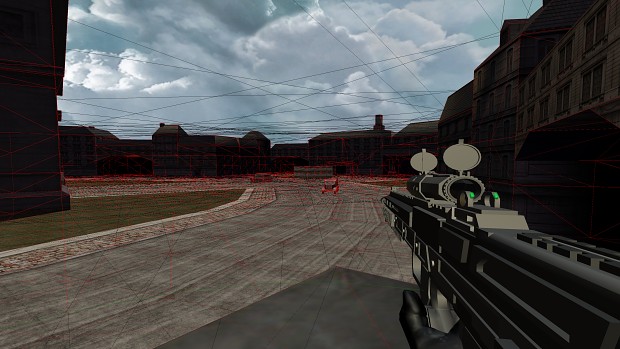
       I played around with armor customization for my avatar and transformed myself into a COG soldier inspired by Gears of War. This is an in-game video of of it running inside the cyclone game engine. The menu background scene has been updated as well. This was just for fun and learning purposes.


Saturday, December 5, 2020

70.) Superstar McClain is born!!!

       With the help of FaceGen, I was able to quickly 3D model my head from photographs and transform myself into a game character. FaceGen is a 3D modeling middle-ware produced by Singular Inversions. It has been used for player character creation in Tiger Woods PGA Tour (photo game face), The Elder Scrolls IV: Oblivion and the Football Manager series. FaceGen exports to the native formats of most popular 3D packages. The models are a bit heavy on geometry, but upon import into your favorite 3D package, detail is easily reduced. I was impressed by how accurate the results were. 



SO BEAUTIFUL!! LOL